
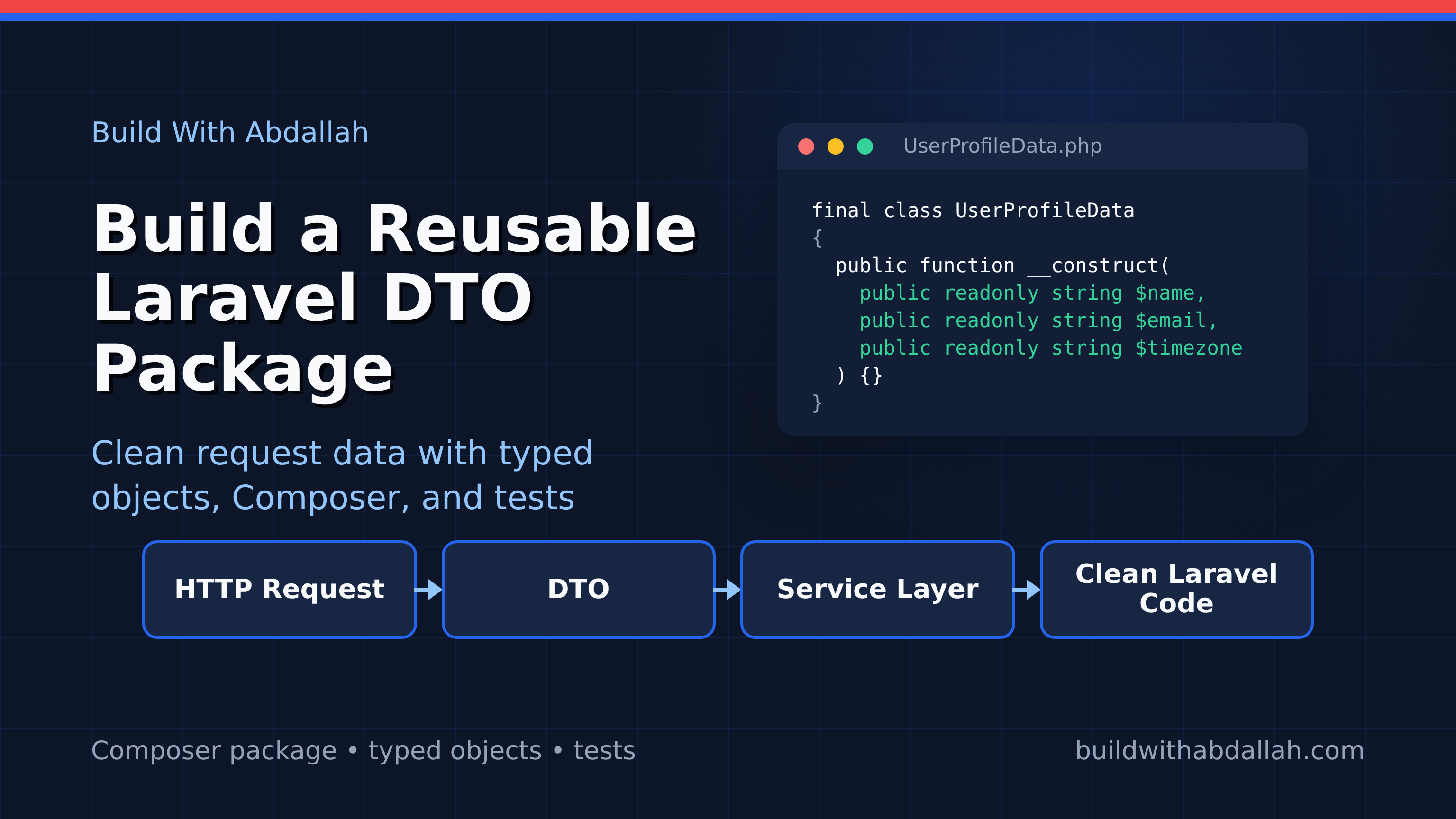
Building a Laravel Package for Data Transfer Objects
Laravel packages are useful when the same code keeps showing up in more than one app.
That might be a billing helper, an admin dashboard widget, a custom validation rule, a set of API clients, or a data object layer. The package does not need to be huge. In fact, the best first package is usually small: one clear responsibility, a service provider, tests, and a clean installation path.
In this tutorial, we will build a Laravel package that provides typed Data Transfer Objects, or DTOs. The package will let an app turn request data into predictable objects instead of passing raw arrays through controllers, services, jobs, and API clients.
The package will include:
- a
DataTransferObjectbase class - a concrete
UserProfileDataDTO - a Laravel service provider
- Composer autoloading
- PHPUnit tests
- local installation into a Laravel app through a Composer path repository
This is based on the package-development workflow covered by Laravel News and Laravel's official package documentation, but we will build a real package instead of stopping at configuration.
What This Package Does
The package gives Laravel apps a small typed data layer.
Instead of doing this:
$data = [
    'name' => $request->input('name'),
    'email' => $request->input('email'),
    'timezone' => $request->input('timezone', 'UTC'),
];

$profileService->update($user, $data);
You can do this:
$profile = UserProfileData::fromArray($request->validated());

$profileService->update($user, $profile);
That matters because the service receives a known object with known properties. The object can normalize defaults, reject missing data, and expose a safe toArray() method when you need to store or serialize it.
Prerequisites
You need:
- PHP 8.2 or newer
- Composer
- Laravel 11 or Laravel 12 for the demo app
- Basic comfort with namespaces and Composer autoloading
Create a workspace:
mkdir laravel-dto-package-demo
cd laravel-dto-package-demo
Inside this workspace, we will create two projects:
laravel-dto-package-demo/
├── packages/
│   └── buildwithabdallah/
│       └── laravel-data-objects/
└── demo-app/
The package lives under packages/. The Laravel app lives under demo-app/ and installs the package locally.
Step 1: Create the Package Directory
Create the package folders:
mkdir -p packages/buildwithabdallah/laravel-data-objects/src/Data
mkdir -p packages/buildwithabdallah/laravel-data-objects/src/Providers
mkdir -p packages/buildwithabdallah/laravel-data-objects/tests
cd packages/buildwithabdallah/laravel-data-objects
Create composer.json:
{
  "name": "buildwithabdallah/laravel-data-objects",
  "description": "Typed data transfer objects for Laravel applications.",
  "type": "library",
  "license": "MIT",
  "require": {
    "php": "^8.2",
    "illuminate/support": "^11.0|^12.0"
  },
  "require-dev": {
    "orchestra/testbench": "^9.0|^10.0",
    "phpunit/phpunit": "^10.5|^11.0"
  },
  "autoload": {
    "psr-4": {
      "BuildWithAbdallah\\DataObjects\\": "src/"
    }
  },
  "autoload-dev": {
    "psr-4": {
      "BuildWithAbdallah\\DataObjects\\Tests\\": "tests/"
    }
  },
  "extra": {
    "laravel": {
      "providers": [
        "BuildWithAbdallah\\DataObjects\\Providers\\DataObjectsServiceProvider"
      ]
    }
  },
  "minimum-stability": "stable",
  "prefer-stable": true
}
The important parts are autoload and extra.laravel.providers.
autoload tells Composer where your package classes live. The Laravel extra block enables package auto-discovery, so Laravel can register the service provider when the package is installed.
Install dependencies:
composer install
Step 2: Create the Base DTO Class
Create src/Data/DataTransferObject.php:
<?php

namespace BuildWithAbdallah\DataObjects\Data;

use InvalidArgumentException;
use JsonSerializable;
use ReflectionClass;

abstract class DataTransferObject implements JsonSerializable
{
    public static function fromArray(array $data): static
    {
        $class = new ReflectionClass(static::class);
        $constructor = $class->getConstructor();

        if ($constructor === null) {
            return new static();
        }

        $arguments = [];

        foreach ($constructor->getParameters() as $parameter) {
            $name = $parameter->getName();

            if (array_key_exists($name, $data)) {
                $arguments[$name] = $data[$name];
                continue;
            }

            if ($parameter->isDefaultValueAvailable()) {
                $arguments[$name] = $parameter->getDefaultValue();
                continue;
            }

            throw new InvalidArgumentException("Missing required DTO field [{$name}].");
        }

        return new static(...$arguments);
    }

    public function toArray(): array
    {
        return get_object_vars($this);
    }

    public function jsonSerialize(): array
    {
        return $this->toArray();
    }
}
This base class gives every DTO three useful methods:
fromArray()builds the DTO from validated request data.toArray()converts public promoted properties back to an array.jsonSerialize()makes the DTO safe to pass intojson_encode().
The reflection logic keeps the package small. For a production package, you could add nested DTO support, custom casting, and stricter validation. For this tutorial, the goal is a clear package foundation.
Step 3: Create a Concrete DTO
Create src/Data/UserProfileData.php:
<?php

namespace BuildWithAbdallah\DataObjects\Data;

final class UserProfileData extends DataTransferObject
{
    public function __construct(
        public readonly string $name,
        public readonly string $email,
        public readonly string $timezone = 'UTC',
    ) {
    }
}
This DTO represents the shape of a profile update. It is small, typed, and easy to pass through the application.
The readonly properties are useful because they prevent accidental mutation after the object is created. If a service needs changed data, create a new DTO instead of modifying the existing one.
Step 4: Add a Laravel Service Provider
Create src/Providers/DataObjectsServiceProvider.php:
<?php

namespace BuildWithAbdallah\DataObjects\Providers;

use Illuminate\Support\ServiceProvider;

class DataObjectsServiceProvider extends ServiceProvider
{
    public function register(): void
    {
        //
    }

    public function boot(): void
    {
        //
    }
}
This package does not need configuration yet, so the provider is intentionally empty.
You still want the provider because it gives the package a Laravel integration point. Later, you might publish config, register macros, bind a factory, or add commands. Starting with a provider makes the package ready for that growth.
Step 5: Write Package Tests
Create phpunit.xml:
<?xml version="1.0" encoding="UTF-8"?>
<phpunit bootstrap="vendor/autoload.php" colors="true">
    <testsuites>
        <testsuite name="Package Test Suite">
            <directory>tests</directory>
        </testsuite>
    </testsuites>
</phpunit>
Create tests/UserProfileDataTest.php:
<?php

namespace BuildWithAbdallah\DataObjects\Tests;

use BuildWithAbdallah\DataObjects\Data\UserProfileData;
use InvalidArgumentException;
use PHPUnit\Framework\TestCase;

class UserProfileDataTest extends TestCase
{
    public function test_it_builds_a_profile_dto_from_an_array(): void
    {
        $data = UserProfileData::fromArray([
            'name' => 'Abdallah',
            'email' => 'abdallah@example.com',
            'timezone' => 'America/New_York',
        ]);

        $this->assertSame('Abdallah', $data->name);
        $this->assertSame('abdallah@example.com', $data->email);
        $this->assertSame('America/New_York', $data->timezone);
    }

    public function test_it_uses_default_constructor_values(): void
    {
        $data = UserProfileData::fromArray([
            'name' => 'Abdallah',
            'email' => 'abdallah@example.com',
        ]);

        $this->assertSame('UTC', $data->timezone);
    }

    public function test_it_rejects_missing_required_fields(): void
    {
        $this->expectException(InvalidArgumentException::class);

        UserProfileData::fromArray([
            'name' => 'Abdallah',
        ]);
    }

    public function test_it_converts_to_array(): void
    {
        $data = new UserProfileData(
            name: 'Abdallah',
            email: 'abdallah@example.com',
            timezone: 'UTC',
        );

        $this->assertSame([
            'name' => 'Abdallah',
            'email' => 'abdallah@example.com',
            'timezone' => 'UTC',
        ], $data->toArray());
    }
}
Run the tests:
vendor/bin/phpunit
At this point the package works independently from a Laravel app. That is a good sign. Package code should be testable by itself where possible.
Step 6: Install the Package in a Laravel App
Go back to the workspace root:
cd ../../../..
composer create-project laravel/laravel demo-app
cd demo-app
Add the local package as a Composer path repository:
composer config repositories.data-objects path ../packages/buildwithabdallah/laravel-data-objects
composer require buildwithabdallah/laravel-data-objects:@dev
Check that Laravel discovered the provider:
php artisan package:discover
If Composer and Laravel are wired correctly, the package should load without errors.
Step 7: Use the DTO in a Controller
Create a request class:
php artisan make:request UpdateProfileRequest
Edit app/Http/Requests/UpdateProfileRequest.php:
<?php

namespace App\Http\Requests;

use Illuminate\Foundation\Http\FormRequest;

class UpdateProfileRequest extends FormRequest
{
    public function authorize(): bool
    {
        return true;
    }

    public function rules(): array
    {
        return [
            'name' => ['required', 'string', 'max:120'],
            'email' => ['required', 'email', 'max:255'],
            'timezone' => ['sometimes', 'string', 'max:80'],
        ];
    }
}
Create a controller:
php artisan make:controller ProfileController
Edit app/Http/Controllers/ProfileController.php:
<?php

namespace App\Http\Controllers;

use App\Http\Requests\UpdateProfileRequest;
use BuildWithAbdallah\DataObjects\Data\UserProfileData;
use Illuminate\Http\JsonResponse;

class ProfileController extends Controller
{
    public function update(UpdateProfileRequest $request): JsonResponse
    {
        $profile = UserProfileData::fromArray($request->validated());

        // In a real app, pass $profile to a service class.
        // $this->profileService->update($request->user(), $profile);

        return response()->json([
            'message' => 'Profile DTO accepted.',
            'data' => $profile->toArray(),
        ]);
    }
}
Add a route in routes/web.php or routes/api.php:
use App\Http\Controllers\ProfileController;
use Illuminate\Support\Facades\Route;

Route::post('/profile', [ProfileController::class, 'update']);
Start the app:
php artisan serve
Test the endpoint:
curl -X POST http://127.0.0.1:8000/profile \
  -H "Content-Type: application/json" \
  -d '{"name":"Abdallah","email":"abdallah@example.com","timezone":"America/New_York"}'
Expected response:
{
  "message": "Profile DTO accepted.",
  "data": {
    "name": "Abdallah",
    "email": "abdallah@example.com",
    "timezone": "America/New_York"
  }
}
Now your Laravel app is using a local package as if it were installed from Packagist.
Step 8: Prepare the Package for Publishing
Before publishing the package publicly, add a license and README:
cd ../packages/buildwithabdallah/laravel-data-objects
touch LICENSE README.md
A basic README.md should include:
# Laravel Data Objects

Typed Data Transfer Objects for Laravel applications.

## Installation

composer require buildwithabdallah/laravel-data-objects

## Usage

$profile = UserProfileData::fromArray($request->validated());
Tag a release when you are ready:
git init
git add .
git commit -m "Initial Laravel data objects package"
git tag v0.1.0
Then push to GitHub and submit the repository to Packagist.
Common Errors and Fixes
Composer cannot find the package
Check the path repository:
composer config repositories.data-objects
From demo-app, the path should point to:
../packages/buildwithabdallah/laravel-data-objects
If the path is wrong, remove it and add it again:
composer config --unset repositories.data-objects
composer config repositories.data-objects path ../packages/buildwithabdallah/laravel-data-objects
Laravel does not discover the provider
Confirm the extra.laravel.providers block exists in the package composer.json, then run:
composer dump-autoload
php artisan package:discover
Class not found
This usually means the namespace does not match Composer's PSR-4 config.
The namespace:
namespace BuildWithAbdallah\DataObjects\Data;
Must match:
"BuildWithAbdallah\\DataObjects\\": "src/"
Then run:
composer dump-autoload
The DTO accepts unexpected fields
This simple implementation ignores extra array keys because it only reads constructor parameters. If you want to reject extra fields, compare the input keys against constructor parameter names inside fromArray().
Final Complete Example
Here is the full flow:
mkdir laravel-dto-package-demo
cd laravel-dto-package-demo

mkdir -p packages/buildwithabdallah/laravel-data-objects/src/Data
mkdir -p packages/buildwithabdallah/laravel-data-objects/src/Providers
mkdir -p packages/buildwithabdallah/laravel-data-objects/tests

cd packages/buildwithabdallah/laravel-data-objects
composer install
vendor/bin/phpunit

cd ../../../..
composer create-project laravel/laravel demo-app
cd demo-app
composer config repositories.data-objects path ../packages/buildwithabdallah/laravel-data-objects
composer require buildwithabdallah/laravel-data-objects:@dev
php artisan package:discover
php artisan serve
The package is small, but it demonstrates the core Laravel package workflow: Composer metadata, PSR-4 autoloading, service provider discovery, tests, and local installation into a real Laravel app.
Once that structure is clear, you can build packages for anything your apps repeat: API clients, billing helpers, admin components, validation rules, scheduled-job dashboards, or internal developer tooling.
Sources
- Laravel News: Building your own Laravel Packages: https://laravel-news.com/building-your-own-laravel-packages
- Laravel package development documentation: https://laravel.com/docs/13.x/packages